
Free Electronic Signature App
AI SignFlow Free Online Document Signing And E-Signatures
Sign documents and PDFs online, send signature requests, and track completed agreements with AI SignFlow. Start with a free electronic signature app and create your account to begin signing online.
- Free plan: 5 envelopes/mo
- No credit card required
New accounts start with a 14-day Business trial, then continue on the Free plan.
- Online Document Signing
- PDF Signing
- Signature Templates
- Signing Progress Tracking
- Audit Trail
Still Printing, Scanning, And Chasing Signatures?
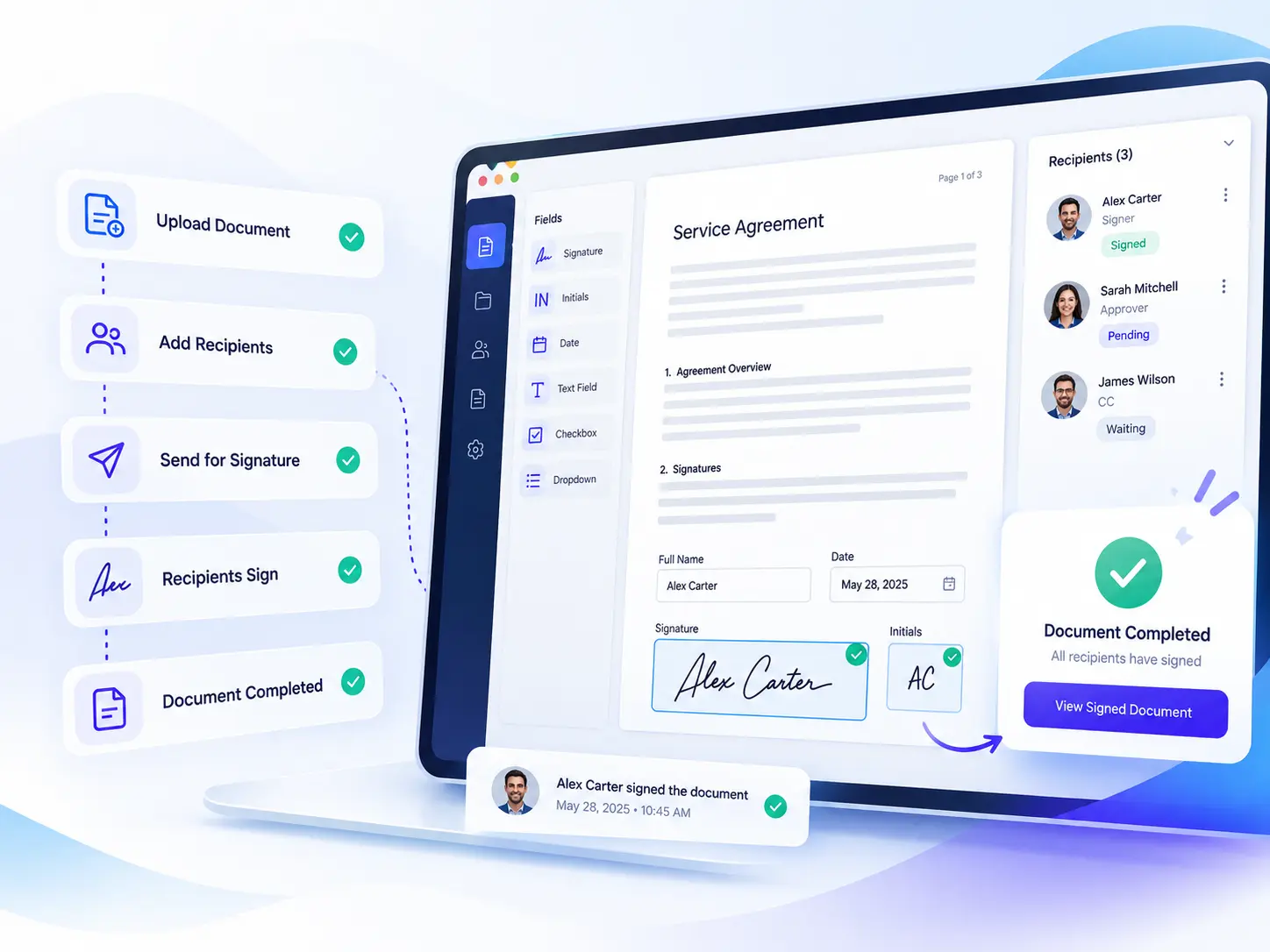
Move your document-signing process online. Prepare documents, add signers, send signature requests, and track progress from one place.
Need to sign a document online for free? Prepare your PDF, add signers, and send it for electronic signatures without the usual printing and scanning.
The Old Way
- Printing documents just to sign them by hand
- Scanning signed pages back into the computer
- Chasing replies across long email threads
- Searching scattered folders for the final copy
With AI SignFlow
- Send documents for signing online
- Let recipients sign from supported devices — no account needed
- Reuse document templates for recurring agreements
- Track signing progress as it happens
- Keep signing activity and completion records
Key benefits
A Simpler Way To Sign Documents Online And Get Work Done
AI SignFlow helps reduce repetitive signing tasks, keep agreements moving, and make document progress easier to track.
Less Administrative Work
Reduce repetitive work involved in preparing documents, sending signature requests, and tracking routine agreements.
Faster Agreement Workflows
Move away from printing, scanning, manual email follow-ups, and sending documents one at a time.
Fewer Avoidable Errors
Reusable templates and merge fields can reduce repeated data entry and inconsistent document setup.
Clearer Accountability
Track document progress and review signing activity to understand where an agreement stands.
Better Use Of Team Time
Spend less time coordinating paperwork and more time on customers, employees, and business operations.
Lower Signing Costs
Start free, then consider paid options as needed. Savings depend on your provider, plan, and document volume.
Features
Free PDF Document Signing And The Tools You Need To Manage Signatures
Explore the tools that help you prepare documents, coordinate signers, reuse templates, and keep track of signing activity.
PDF And Document Signing
Prepare and send documents for e-signature
- What it does
- Use AI SignFlow as a free PDF document signer to prepare documents, add signature fields, and send PDFs for electronic signing online.
- How it helps
- Reduces the need to print, scan, and email signed documents back and forth.
- When it’s useful
- Any agreement, form, or one-off PDF that needs a signature — a free PDF document signer for everyday paperwork.
In the product:
- Signers open a secure link
- No signer account needed
- Signature, initials & date fields
Flexible Signer Routing
Sequential, parallel, mixed, or conditional
- What it does
- Send to recipients one after another, all at the same time, or in mixed groups. Add a condition so a recipient is only included once a specific earlier recipient has completed.
- How it helps
- Documents reach each person in the right order, or everyone at once when no sequence is required.
- When it’s useful
- Approvals that need a set order, or agreements several people can sign simultaneously.
In the product:
- Sequential
- Parallel
- Mixed groups
- Conditional recipients
Reusable Templates
Versioned templates for recurring documents
- What it does
- Create reusable templates for agreements, contracts, and forms. Prepare your document once and reuse it whenever you need to send it for signing.
- How it helps
- Prepare standard agreements once and reuse them instead of rebuilding each document.
- When it’s useful
- Offer letters, NDAs, service agreements, and any document you send again and again.
In the product:
- Signature, date & data fields
- Version history
- Compare & restore
Bulk Sending
Send batches from a CSV or spreadsheet
- What it does
- Upload a CSV or XLSX file against a template to create one envelope per row. Preview and validate every row in a dry run before anything is sent.
- How it helps
- Send batches of documents without preparing every request individually.
- When it’s useful
- Annual policy acknowledgments, client renewals, or the same agreement for many recipients.
In the product:
- CSV & XLSX upload
- Dry-run preview
- Pause & cancel
- Retry failed rows
Smart Merge Tags
Personalize documents with recipient data
- What it does
- Fill documents with recipient and custom data using merge tags, show content only when a condition is met, and repeat sections for lists of items.
- How it helps
- Personalize every copy automatically instead of editing documents by hand.
- When it’s useful
- Quotes, contracts, and letters that change per recipient but share the same structure.
In the product:
- {{recipient.name}}-style tags
- {{if}} conditions
- {{foreach}} loops
- Helper functions
Automated Reminders
Follow-ups that send themselves
- What it does
- Recipients who haven’t signed get automatic reminders on a schedule you can switch off or adjust per envelope, and you can send one manually any time.
- How it helps
- Less manual follow-up with every signer.
- When it’s useful
- Any document waiting on someone, especially ones with a deadline or expiry date.
In the product:
- Per-envelope schedule
- Manual reminders
- Expiry warnings
Signing Progress Tracking
See what needs attention
- What it does
- Track pending and completed signature requests, so you can see where each document stands without searching through email conversations.
- How it helps
- See which documents need attention and spot individual sends that failed.
- When it’s useful
- Whenever you need to know where an agreement stands without asking around.
In the product:
- Envelope status
- Per-recipient status
- Per-row batch status
Audit Trail And Certificate
A record of every signing step
- What it does
- Document views, field completions, and signatures are logged with timestamps. Completed envelopes include a downloadable Certificate of Completion, and a public page verifies the document hash.
- How it helps
- Keep a reviewable record of signing activity and completion.
- When it’s useful
- Whenever you may need to show who signed what, and when.
In the product:
- Timestamped activity log
- Certificate of Completion
- Public hash verification
API And Webhooks
Paid plansConnect signing to your tools
- What it does
- A REST API with API-key authentication, plus HMAC-signed webhooks for events such as envelope viewed, completed, or declined.
- How it helps
- Connect signing workflows to a CRM, document system, or internal tools instead of managing them separately.
- When it’s useful
- When your team wants signing to happen inside existing business processes.
In the product:
- REST API
- API-key auth
- Signed webhooks
- What it does
- Use AI SignFlow as a free PDF document signer to prepare documents, add signature fields, and send PDFs for electronic signing online.
- How it helps
- Reduces the need to print, scan, and email signed documents back and forth.
- When it’s useful
- Any agreement, form, or one-off PDF that needs a signature — a free PDF document signer for everyday paperwork.
In the product:
- Signers open a secure link
- No signer account needed
- Signature, initials & date fields
- What it does
- Send to recipients one after another, all at the same time, or in mixed groups. Add a condition so a recipient is only included once a specific earlier recipient has completed.
- How it helps
- Documents reach each person in the right order, or everyone at once when no sequence is required.
- When it’s useful
- Approvals that need a set order, or agreements several people can sign simultaneously.
In the product:
- Sequential
- Parallel
- Mixed groups
- Conditional recipients
- What it does
- Create reusable templates for agreements, contracts, and forms. Prepare your document once and reuse it whenever you need to send it for signing.
- How it helps
- Prepare standard agreements once and reuse them instead of rebuilding each document.
- When it’s useful
- Offer letters, NDAs, service agreements, and any document you send again and again.
In the product:
- Signature, date & data fields
- Version history
- Compare & restore
- What it does
- Upload a CSV or XLSX file against a template to create one envelope per row. Preview and validate every row in a dry run before anything is sent.
- How it helps
- Send batches of documents without preparing every request individually.
- When it’s useful
- Annual policy acknowledgments, client renewals, or the same agreement for many recipients.
In the product:
- CSV & XLSX upload
- Dry-run preview
- Pause & cancel
- Retry failed rows
- What it does
- Fill documents with recipient and custom data using merge tags, show content only when a condition is met, and repeat sections for lists of items.
- How it helps
- Personalize every copy automatically instead of editing documents by hand.
- When it’s useful
- Quotes, contracts, and letters that change per recipient but share the same structure.
In the product:
- {{recipient.name}}-style tags
- {{if}} conditions
- {{foreach}} loops
- Helper functions
- What it does
- Recipients who haven’t signed get automatic reminders on a schedule you can switch off or adjust per envelope, and you can send one manually any time.
- How it helps
- Less manual follow-up with every signer.
- When it’s useful
- Any document waiting on someone, especially ones with a deadline or expiry date.
In the product:
- Per-envelope schedule
- Manual reminders
- Expiry warnings
- What it does
- Track pending and completed signature requests, so you can see where each document stands without searching through email conversations.
- How it helps
- See which documents need attention and spot individual sends that failed.
- When it’s useful
- Whenever you need to know where an agreement stands without asking around.
In the product:
- Envelope status
- Per-recipient status
- Per-row batch status
- What it does
- Document views, field completions, and signatures are logged with timestamps. Completed envelopes include a downloadable Certificate of Completion, and a public page verifies the document hash.
- How it helps
- Keep a reviewable record of signing activity and completion.
- When it’s useful
- Whenever you may need to show who signed what, and when.
In the product:
- Timestamped activity log
- Certificate of Completion
- Public hash verification
- What it does
- A REST API with API-key authentication, plus HMAC-signed webhooks for events such as envelope viewed, completed, or declined.
- How it helps
- Connect signing workflows to a CRM, document system, or internal tools instead of managing them separately.
- When it’s useful
- When your team wants signing to happen inside existing business processes.
In the product:
- REST API
- API-key auth
- Signed webhooks
Interactive demo
How To Sign Documents Online For Free
Try a sample signing workflow yourself. Add your details, see how a document is prepared, and complete a simulated signature without creating an account.
Prepare A Document
Sample content only — no file is uploaded.
Use fictional details. No emails or signature requests are sent.
You can also click a dashed box in the document preview.
A simulated, text-based signature — not a legal signature.
Demonstration only. Nothing was sent, signed, stored, or legally executed.
- Document
- Prepared by
- Signers
- Status
- Completed (simulated)
Sample audit trail
Sample dataSample document
Prepared by
This agreement is made between and .
1. Scope. The parties agree to the services described in this sample document.
2. Term. This agreement begins on the signing date shown below.
3. Signatures. Each party signs electronically below.
Signature ·
Signature ·
Signature ·
Use cases
A Free Electronic Signature App For Everyday Business Work
Small Businesses
Send quotes, agreements, and waivers for free, then upgrade as your needs grow.
Individuals And Freelancers
Sign personal documents, client agreements, and forms online with a free online signature app. Get started without complicated setup.
HR Teams
Collect signed offer letters and policy acknowledgments from new hires.
Sales Teams
Send quotes and contracts as soon as a prospect is ready to commit.
Legal Teams
Route engagement letters through the exact signing order a matter requires.
Real Estate Professionals
Get leases, disclosures, and offers signed by every party without meeting in person.
Agencies And Service Providers
Send client contracts and statements of work in bulk, branded with your own logo.
Not Sure Where You Fit?
Try it on your own documents with a free account.
Why choose us
Why AI SignFlow
Start With A Free Account
Sign up without a credit card and send your first documents on the Free plan.
Sign And Send Online
Upload a PDF, place your fields, and send it — signers open a secure link, no account needed.
Reuse Templates
Save recurring agreements as templates, with versions you can compare and restore.
Track Signing Progress
See which documents are sent, in progress, or completed, and where each signer stands.
Keep Completion Records
Every view, field, and signature is logged, with a Certificate of Completion for finished documents.
Grow Into Paid Plans
Upgrade for more envelopes, users, storage, API access, and webhooks when you need them.
Free Electronic Signature Services With Plans That Fit Your Needs
Create a free AI SignFlow account to start sending documents for signing. Explore additional plans when your document volume, team size, or workflow requirements grow.
Free
$0 /month
Start signing documents online, try the full workflow, and see whether AI SignFlow fits your needs.
Get Started For Free- 5 envelopes/mo
- 1 user
- 1 GB storage
- API access not included
- Webhooks not included
Starter
$15 /month
Get Started- 50 envelopes/mo
- 5 users
- 9 GB storage
- API access not included
- Webhooks not included
Business
$49 /month
Get Started- 500 envelopes/mo
- 25 users
- 93 GB storage
- API access
- Webhooks
New accounts start with a 14-day Business trial, then continue on the Free plan. No credit card required.
Questions About Free Online Document Signing
Ready To Send Your First Document?
Create your free AI SignFlow account and start exploring a simpler way to prepare, send, and manage documents for signing.
Get Started For Free